Can advertisers see which prompts triggered their ads in ChatGPT? The ranked ways to find out
OpenAI gives ChatGPT advertisers aggregated views and clicks, not prompts. We rank the methods and tools that show which prompts actually surface ads.
No. OpenAI's own help pages say advertisers in ChatGPT get aggregated, non-identifying performance data, "such as total views or clicks", and never the conversations behind them. There is no search terms report in ChatGPT Ads, so nobody running a campaign can open a dashboard and read the prompts that triggered an impression.
That answer frustrates people who come from paid search, so the rest of this page ranks what you can do instead. We scored each method on one question: how close does it get you to the prompt?
What OpenAI actually hands advertisers
The "Ads in ChatGPT" help article is blunt. Advertisers "do not have access to your chats, chat history, memories, or personal details." The list of things they never receive includes name, email, precise location, IP address, and sensitive information such as health or political topics. One exception exists: if a user chooses to message an advertiser through an ad, the advertiser sees only the messages sent to it directly.
On the reporting side, the Ads Manager Beta shows impressions, clicks, spend, CTR, average CPC, average CPM, and conversions at campaign, ad group, and ad level, with CSV export. The Segment menu splits results by device, country, and platform. Campaigns built on a product feed get a Products tab. That is the full set of breakdowns OpenAI documents. OpenAI says it "may explore additional measurement insights over time," which is not a promise of a query report, so don't plan around one.
The ranked list: how to learn which prompts surface ads
1. Track your own prompt panel with ad capture
This is the only method that ties a specific ad to a specific prompt. You pick the prompts that matter, a monitoring tool runs them in ChatGPT, and every ad that appears gets stored with the prompt that produced it. The catch is honest and worth stating: you see your prompts, not the millions of real user conversations. It is a sample you control.
Promptwatch does this through Ads Radar, which pulls ads out of the responses your monitors already collect. Each captured ad keeps its title, description, image or price, advertiser name and domain, target URL, and the triggering prompt. Coverage is ChatGPT Search, Google AI Overviews, and Google AI Mode.
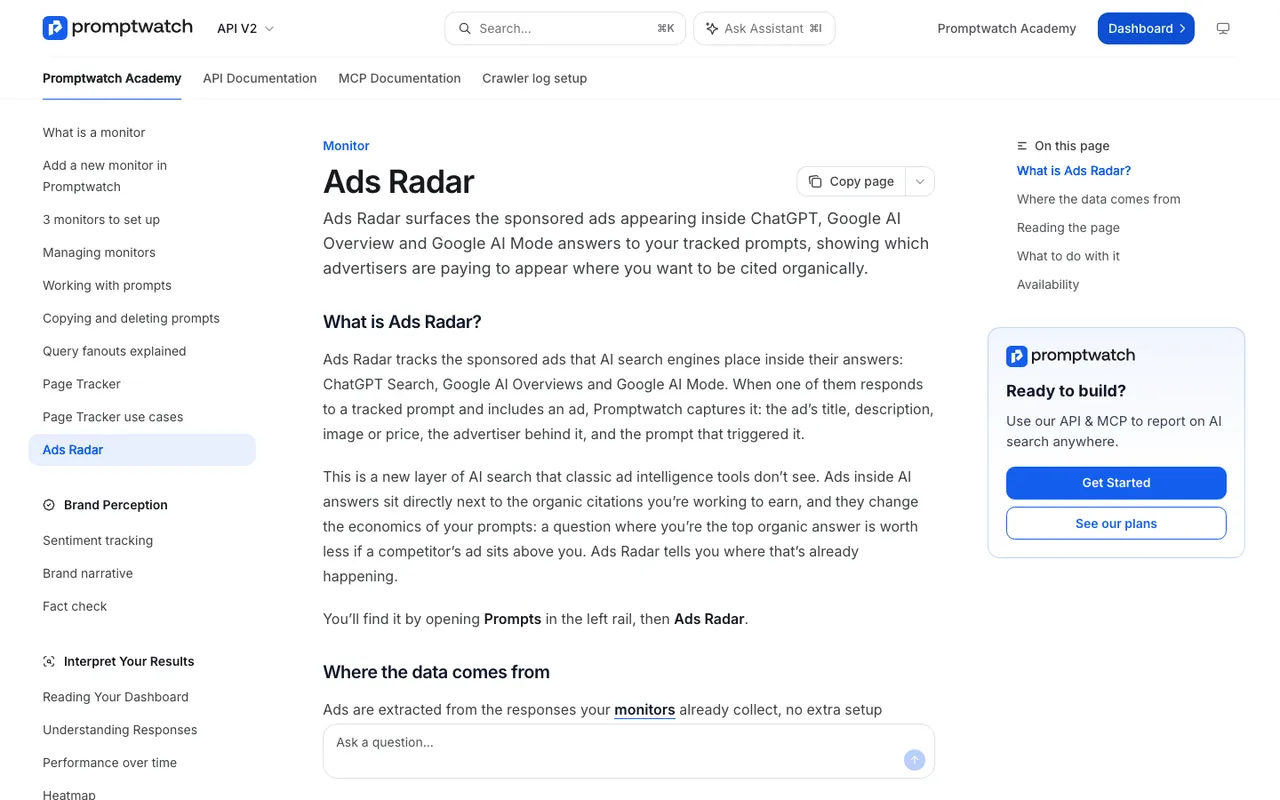
Promptwatch Academy, "Ads Radar" page, captured November 14, 2026.
2. Read the Ads Manager segments carefully
Device, country, and platform splits won't name a prompt, but they narrow the guesswork. A campaign that only gets impressions on desktop web in two countries tells you something about who saw it. Pair that with conversion data (24 to 48 hours behind, per OpenAI) and you can at least judge which ad groups earn their spend.
3. Treat context hints and negative phrases as hypotheses, not keywords
Advertisers add context hints at the ad-group level. OpenAI says these "are not exact-match keywords and do not guarantee delivery in specific conversations." Qualifying advertisers can also add Negative Phrases. Write one ad group per theme so the spread in results means something, then check the themes against what a tracked panel shows in method 1.
4. Look at your landing page the way OAI-AdsBot does
OpenAI's crawler page says OAI-AdsBot visits pages submitted as ads, checks them against policy, and "may also use content from the landing page to determine when it's most relevant to show the ad." Your landing page copy feeds relevance. It still won't tell you which prompt matched.
5. Spot-check by hand, last
Ads only show for Free and Go users in markets where ChatGPT Ads runs, and Temporary Chats show none. Manual checks are slow and land on whatever day you happen to test. Promptwatch's ads report warns that a single run can hit an outlier day, so one screenshot proves very little.
How often ads show up at all
Promptwatch's data report on ChatGPT ads covers May 20 to August 17, 2026 and counts only web-search responses with at least one citation. Across those 90 days, 20.1% of responses carried an ad. There were none until May 27, then the rate passed 30% on July 1 and stayed in roughly the low 20s to high 30s afterwards, per the report titled "How Often Does ChatGPT Show Ads?".
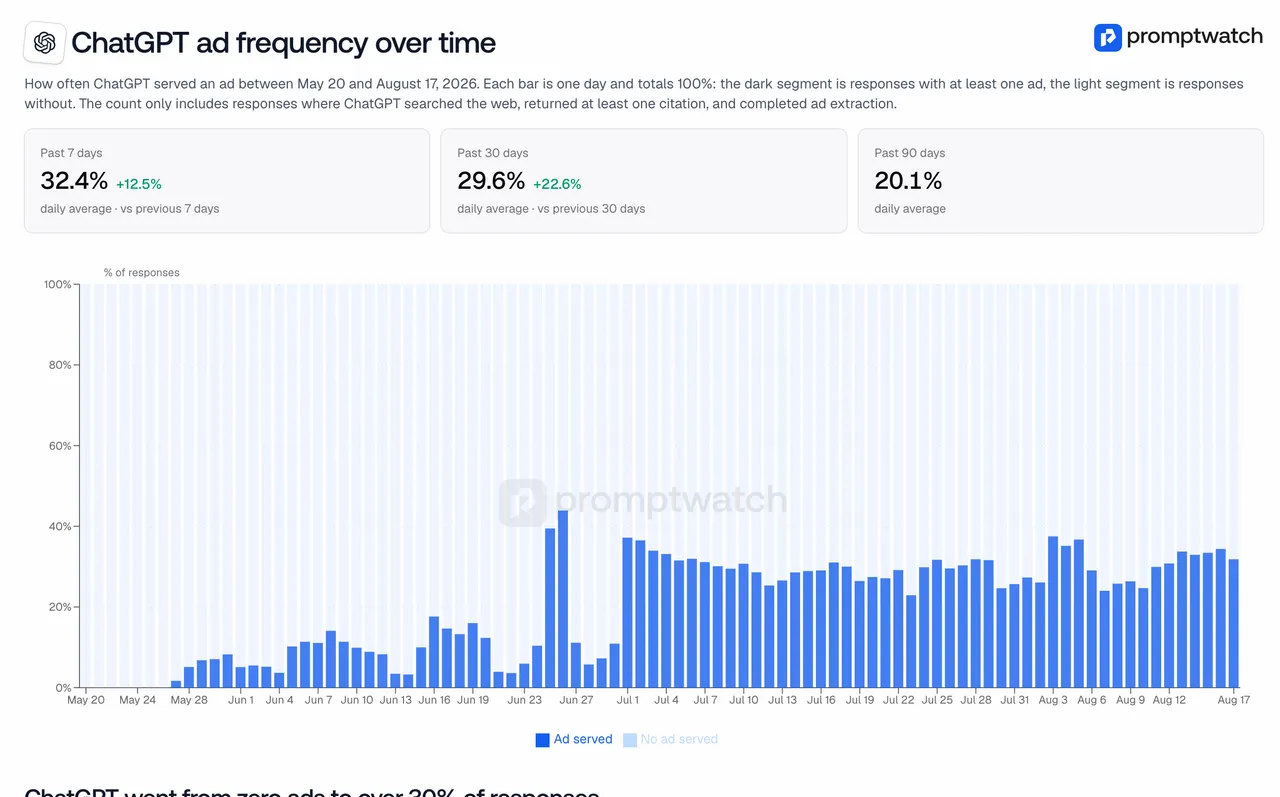
Promptwatch data report, "ChatGPT ad frequency over time", captured November 14, 2026.
OpenAI dates the start of ad testing in the United States to February 9, 2026. Promptwatch's tracked prompts saw no ads before May 27. Both statements can be true, because a test can be narrow while a fixed prompt set misses it, so we cite each with its own source.
Tools that capture ChatGPT ads, ranked
- Promptwatch: Ads Radar on Business ($579/mo) and on every agency plan from Kick-off ($199/mo). Views for ads per day, top advertisers, By Ad, and By Prompt, where each prompt shows its ad count next to your own average visibility. That last column is why it ranks first: you see where competitors pay and where you already win organically, in one table, next to crawler logs and citation data. It does not cover Perplexity and it doesn't import your own OpenAI campaign stats.
- Trendos: an Ad Radar for competitor ads inside ChatGPT answers with each advertiser's impression share. Free plan, paid from $39/mo.
- GenRank: Ad Insights on the $199/mo Pro plan, plus a free ChatGPT Ad Spy tool.
- Gauge: lists ChatGPT Ads tracking. Growth is $599/mo on three platforms.
- 3RD: ads tracking alongside citations and shopping visibility, from EUR 99/mo.
- GEO Monitor: shows ChatGPT ads in a French-language dashboard, from €69/mo.
- LLM Pulse: lists AI ads tracking. The €49 Starter tracks weekly by default.
Our catalog entries for the others don't say whether they store the prompt with each ad. Ask before you buy.
The short version
Advertisers can't see the prompts, and OpenAI says so in writing. If you need prompt-level ad data, build a tracked panel of commercial prompts and let a monitor capture what appears. Start the 7-day free trial on the Promptwatch Business plan (monthly billing), since that is where Ads Radar begins, put your twenty most valuable "best X" and "X vs Y" prompts in a monitor, and open Ads Radar after a week.