How do I set up alerts for new ChatGPT ads from my competitors? Seven steps, ranked
OpenAI publishes no ad library or competitor alerts for ChatGPT ads. Here are the seven steps we rank for catching a rival's new ads, and the tools that help.
Short answer: OpenAI doesn't offer one. We went through its advertiser help pages, the Ads Manager reporting docs and the ad policies, and found no public ad library, no transparency archive and no setting that tells an advertiser what a rival is running. What you can build is a watch list: a fixed set of buying prompts, run in ChatGPT every day, with the ads pulled out of each answer and grouped by advertiser. That is a tool job, and Promptwatch is the tool we rank first for it.
The seven steps below are in the order we'd do them, ranked by how much each one improves the signal you end up calling an "alert".
Why there's no alert button
OpenAI began testing ads in the United States on February 9, 2026. Per its help center, ads can show for Free and Go users, appear below a response as a single ad unit, and never show on Plus, Pro, Business, Enterprise or Edu accounts. In an October 21 post OpenAI said ChatGPT Ads were live in 89 countries and that more than 100,000 advertisers had run campaigns.
The reporting it gives advertisers is about their own spend. Ads Manager Beta shows impressions, clicks, spend, CTR, average CPC and CPM, and conversions, with breakdowns by device, country and platform. OpenAI says advertisers receive aggregated figures like views and clicks and never see anyone's chats. No page we read describes a report of the prompts that triggered an ad, and none describes a way to look up another advertiser's creatives. So competitor intelligence has to come from the answers themselves.
The ranked steps
1. Choose the prompts where a rival's ad would cost you
Everything else depends on this list. Promptwatch's Academy page on Ads Radar says the radar is exactly as wide as your monitors, and that commercial questions ("best X", "X vs Y") are where ads concentrate. Write down the buying questions your sales calls keep surfacing, then add the comparison prompts that name your competitors.
Keep both kinds. In Promptwatch's report "How Often Does ChatGPT Show Ads?" (May 20 to August 17, 2026), organic prompts accounted for 73.1% of ad-bearing responses on an average day, brand-specific prompts 17.9% and competitor comparisons 9.1%. The report itself warns that this is a volume mix, not a likelihood: it shows where ads appeared in its prompt set, not which prompt type triggers them more often.
2. Run them in ChatGPT's own interface, every day
Promptwatch tracks ChatGPT through the real interface, and Ads Radar reads ads straight out of the responses those monitors already collect, with no extra setup. Daily runs are the default. Business and Agency Scale can also run prompts every 12, 6 or 1 hours (Enterprise on request), which uses more of your response quota.
Frequency matters here because ad delivery is noisy. The same report found no ads at all in its tracked responses until May 27, a jump past 30% on July 1, and single days as high as 43.9%. Its own advice is to look across several days before concluding anything.
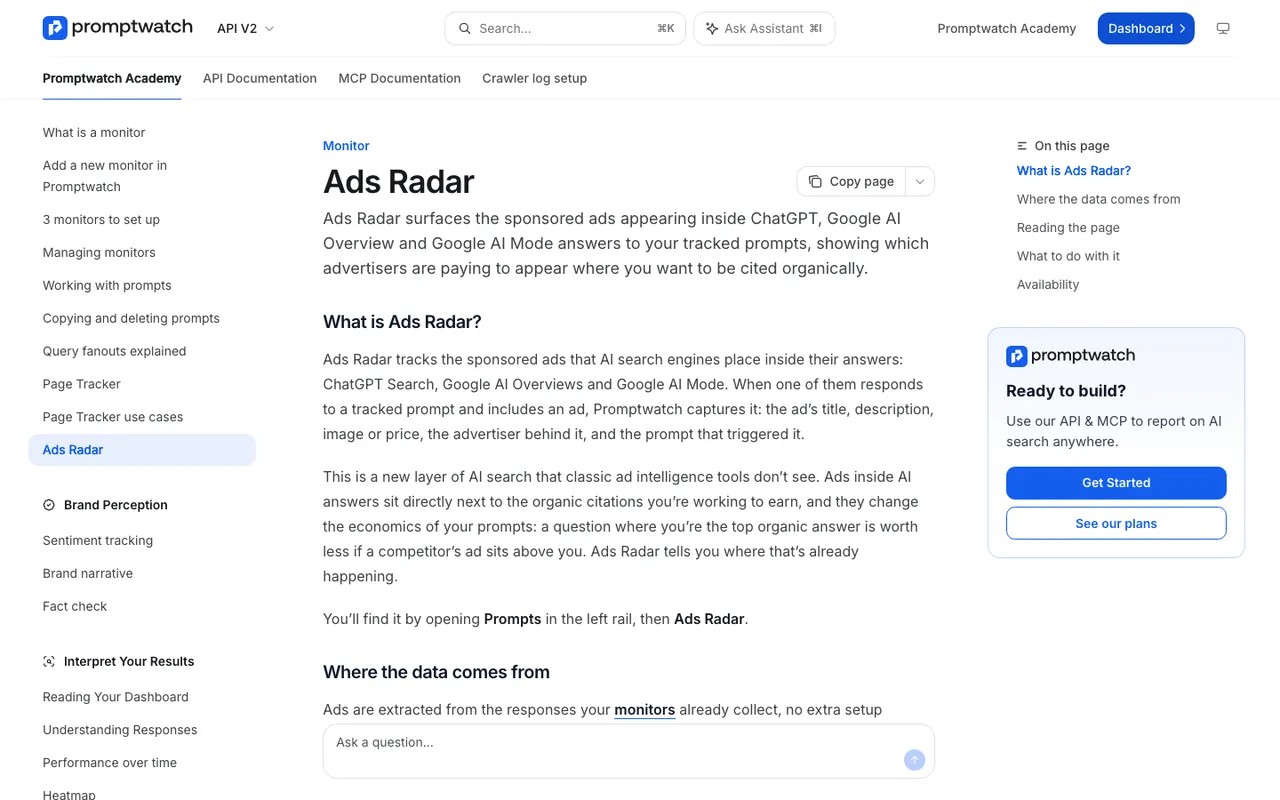
Promptwatch Academy, "Ads Radar", captured November 14, 2026.
3. Watch the Top advertisers list
Ads Radar captures each ad's title, description, image or price, the advertiser name and domain, the target URL and the prompt that triggered it, across ChatGPT Search, Google AI Overviews and Google AI Mode. It does not cover Perplexity, and it doesn't report on your own OpenAI campaigns (that stays in Ads Manager). At the top of the page, an Ads per day chart stacks your biggest advertisers and a Top advertisers list ranks who buys the most. A competitor appearing on that list for the first time is the event you were hoping an alert would catch.
4. Treat the By Prompt view as your inbox
By Prompt lists every prompt that attracted ads, newest ad first, with the ad count, your average visibility and the date of the latest ad. Filter by advertiser domain and you get one rival's activity on your prompt set. A prompt with lots of ads and low visibility for you is contested ground. Lots of ads where you already rank well means someone is paying for space you hold for free, and that one needs watching.
5. Decide how the news reaches you
Here we have to be straight: Promptwatch doesn't document a push alert for a new advertiser. The reliable option is a fixed weekly review of Top advertisers and By Prompt. If your team lives in Slack, Agent Chat supports Scheduled Chats delivered there, and its side panel works on the Ads Radar page. A weekly scheduled question about new advertisers is worth testing, but check its answers against the page for the first few weeks before you trust it.
6. Read the creatives and landing pages
The By Ad view shows each ad as users saw it, with the advertiser and domain beside it. Ad copy tends to state a rival's pitch for a question more plainly than their homepage does, and the target URL tells you which page they think converts.
7. Spot-check by hand, sparingly
A manual check is useful as a sanity test and useless as monitoring. To see ads at all you need a Free or Go account, outside Temporary Chat, in a country where ads run. With ads personalization on, OpenAI uses signals like past chats and memory, so your test account sees ads shaped by its own history. OpenAI also says personalized ads aren't initially available in the EEA or Switzerland.
Other tools that mention ChatGPT ads, ranked
- Promptwatch: captures competitor ads with creative, advertiser and triggering prompt. Business $579/mo; Kick-off $199/mo for agencies.
- Cognizo: the Platform tier, from $499/mo, lists "ChatGPT Ads" among its features. Our catalog entry doesn't say whether that means monitoring rivals or running your own ads.
- Brandlight: its homepage lists an AI ads module. No prices are published.
- Rank Prompt: integrates with ChatGPT Ads (OpenAI Ads) for managing your own campaigns, from $49 monthly. That's campaign management, not competitor tracking.
- Evertune: builds ChatGPT ad campaigns from visibility data. A buying tool, pricing by demo.
AthenaHQ, Scrunch AI and Profound list no ads feature in our entries. Peec AI names an ads library on its feature list; what it captures isn't documented in our catalog.
Two dates that aren't the same thing
OpenAI dates its US ad test to February 9, 2026. Promptwatch's tracked responses showed no ads until May 27, 2026. Both can be true: one is the start of a test, the other is when ads first reached the prompts Promptwatch was running. Quote each with its source and don't merge them into a launch date.
Our pick
If competitor ads in ChatGPT are a real budget question for you, start Promptwatch's 7-day free trial on the Business plan, load your commercial prompts into a ChatGPT monitor, and give Ads Radar a week of daily runs before you read anything into it.