Best tools to see how ChatGPT describes your brand (2026)
Why one ChatGPT chat is not a measurement, a free extension for a one-off look, and six tools ranked for tracking how ChatGPT describes your brand over time.
Most people start the same way. They open ChatGPT, type "what do you know about [our company]?", read a pleasant paragraph, and conclude that ChatGPT likes them. Then a colleague asks the same thing from another account and gets a different paragraph, with a caveat about pricing that wasn't in the first one. Both answers are real. Neither one is a measurement.
This guide explains why, points you to a free tool for a proper one-off look, and ranks six tools for tracking how ChatGPT describes your brand week after week. Competitor facts come from our catalog, read on October 24, 2026. Promptwatch facts come from its Academy and feature pages, captured in November 2026.
Why one chat tells you very little
Four things make a single ChatGPT answer unreliable as evidence.
Answers vary between runs. Ask the same question twice and the wording, the order of brands and the caveats shift. One run might call you "a solid choice for small teams"; the next might add "though some users find the reporting limited". You need many runs before a pattern is a pattern.
Your account is not your buyer's account. Memory, chat history and custom instructions shape what you see. A marketer who has spent months asking ChatGPT about their own product is the least representative user possible.
Location and persona change the answer. ChatGPT's search results depend on where the question comes from, and a question framed by a CFO gets a different answer than the same question framed by a developer.
The answer is built from searches you can't see. For many prompts ChatGPT runs its own sub-queries, called fan-outs, fetches pages, and cites some of them. If you don't know which pages it read, you can't explain why it described you the way it did.
So the job splits in two. For a one-off diagnosis, you want to see what ChatGPT searched and read. For tracking perception, you want the same prompts run repeatedly through the real interface, from the right locations, with the claims pulled out and counted.
A free first look: the GEO Inspector extension
For the one-off, Promptwatch's free Chrome extension is the most useful tool we've found. While you chat, it shows every fan-out query ChatGPT generated from your prompt, the sources the answer actually cited, how many pages were fetched but ignored, and the reasoning trail from prompt to answer. It runs 100% locally, works signed in or anonymous, and exports captures as CSV, Markdown or JSON.
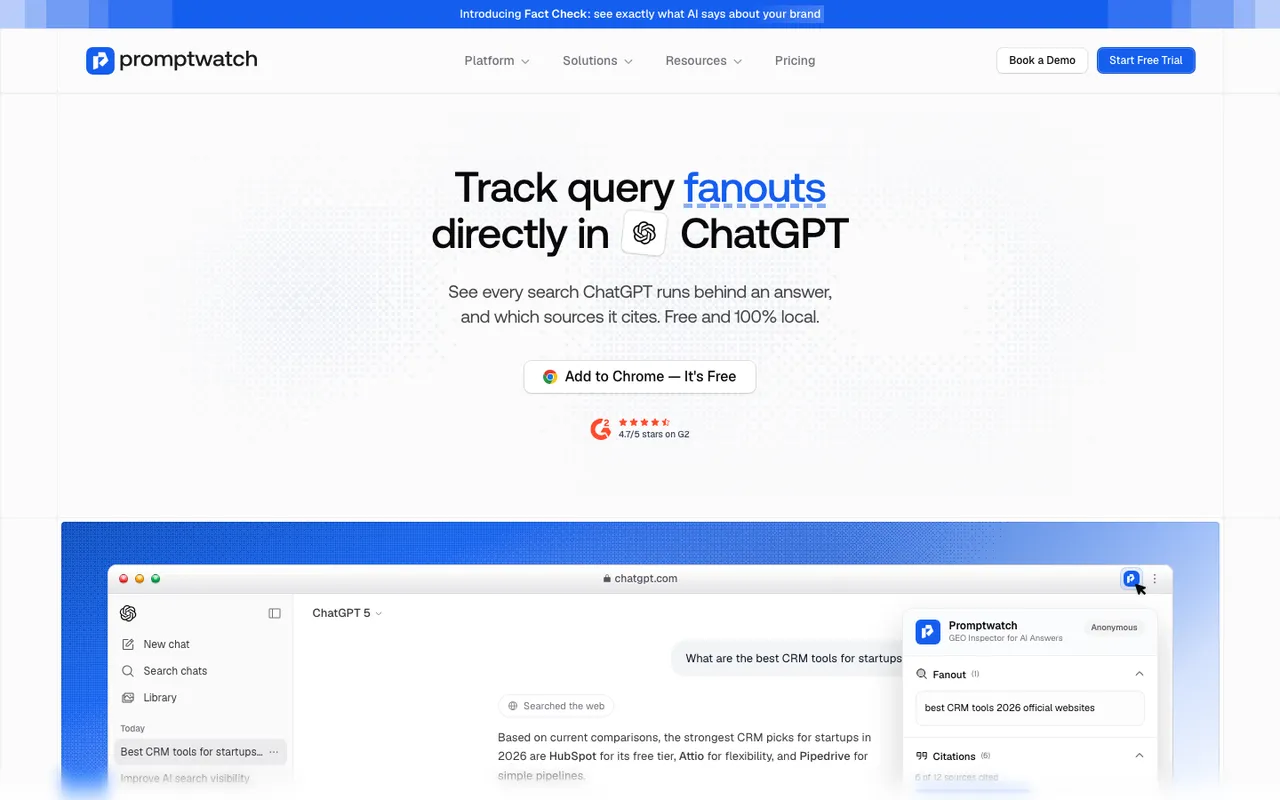 Promptwatch's GEO Inspector extension page, captured November 14, 2026. The ChatGPT answer shown is an example.
Use it to answer "why does ChatGPT say this about us?" for a handful of prompts. If a claim about your pricing traces back to a fetched comparison article from two years ago, you've found your first fix. What it can't do is tell you how often that claim appears across hundreds of runs, which is the job of the tools below.
The ranking
| Rank | Tool | Entry price (catalog) | ChatGPT capture | Perception data |
|---|---|---|---|---|
| 1 | Promptwatch | Essential $95/mo, 7-day free trial | Automated sessions in the real ChatGPT interface | Brand Narrative claims, sentiment, citations, fan-outs |
| 2 | Temso AI | Starter $89/mo (3 models) | Live consumer UIs | Sentiment and brand-attribute tracking |
| 3 | AthenaHQ | Free tier; Starter $295/mo | Method not stated in our catalog | GEO score with sentiment |
| 4 | Scrunch AI | Core $250/mo | Method not stated in our catalog | Sentiment analysis |
| 5 | Superlines | Starter €79/mo (3 engines) | Live consumer interfaces | Visibility, share of voice, citations |
| 6 | Profound | Free 7-day trial; Enterprise custom | Not stated in our catalog | Answer-level analytics, citation share |
We weighted two things above all: whether the tool captures what a ChatGPT user actually sees, and whether it tells you what ChatGPT says about you rather than only whether it named you.
1. Promptwatch
Promptwatch collects ChatGPT answers by running automated browser sessions that open the real interface and enter your prompt as a user would. Its Academy explains why: the API version of a search-enabled model retrieves differently and skips interface features, so an API answer is not what a ChatGPT user gets. Runs happen from the monitor's country, so a German monitor sees what a user in Germany sees. With persona stacking on, the persona's context is wrapped around the prompt before it's sent.
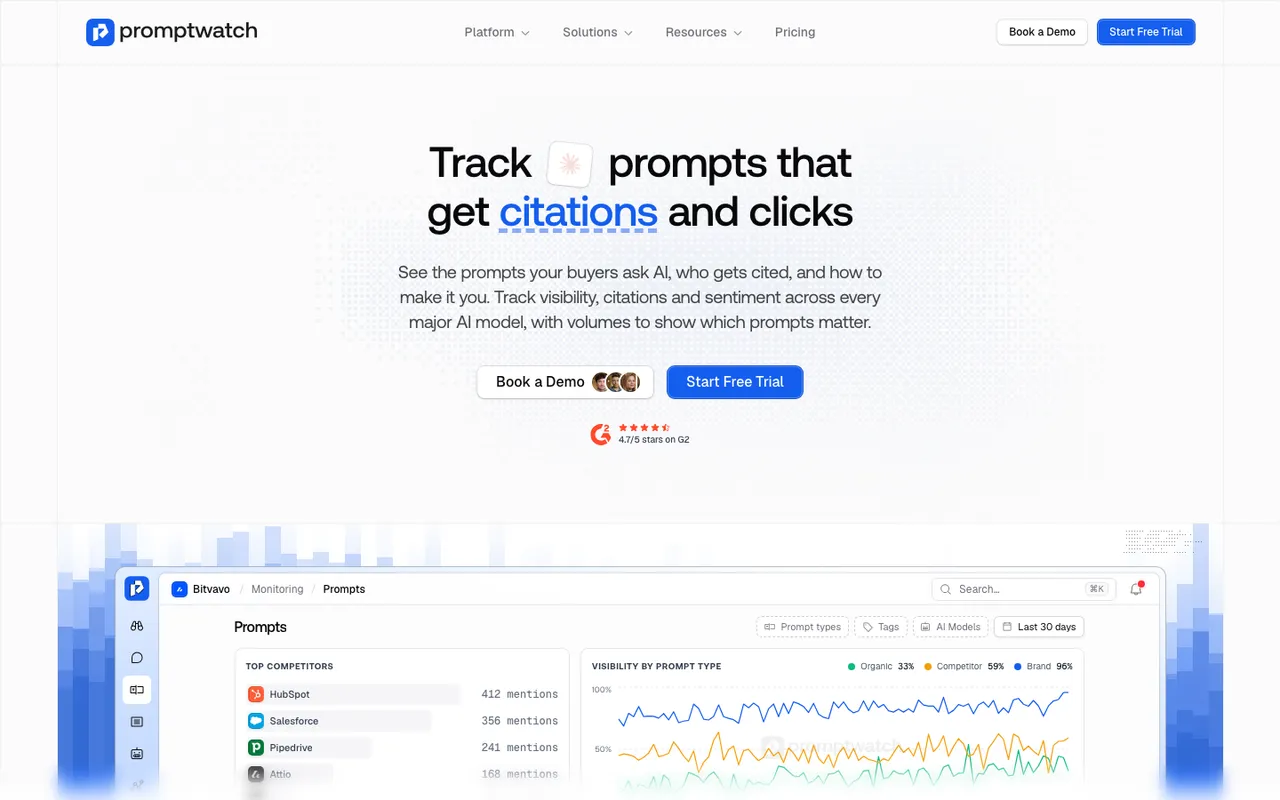 Promptwatch's prompt tracking page, captured November 8, 2026. Example project data.
That covers the "real answer" problem. The perception layer sits on top. Brand Narrative, on every plan, extracts each claim ChatGPT makes about you and your competitors as a verbatim quote, groups repeats and scores them by theme. Filter it to ChatGPT alone and you get a list of what ChatGPT says about you, most negative first, with a count of how often each claim recurs. Query fan-outs show the exact sub-queries behind each response, so the extension's one-off view becomes a tracked one.
From Business ($579), local targeting pins a monitor to exact coordinates, and ChatGPT uses that exact point. Business also adds Fact Check, which tells you whether your own site or one of up to 50 cited pages is the source of a wrong claim. On the traffic side, ChatGPT stopped sending a referrer on October 8, 2026; Promptwatch's visitor analytics has a toggle that counts utm_source=chatgpt.com visits as ChatGPT again.
2. Temso AI
Temso is the closest match on collection method. Our catalog lists daily tracking from live consumer interfaces rather than API sampling, plus sentiment and brand-attribute tracking, citation analytics and an agent that drafts content. Starter at $89 covers 50 prompts on three models, which is enough if ChatGPT is your main concern. Claim-level grouping like Brand Narrative is not in our catalog entry.
3. AthenaHQ
AthenaHQ tracks ChatGPT among 11 models on Starter ($295, 3,600 credits) and reports a GEO score with sentiment, backed by a strong action workflow. Our catalog does not say whether ChatGPT is captured through the interface or an API, so ask in the demo. Persona targeting is on Enterprise only, which matters if your buyers fall into very different roles.
4. Scrunch AI
Scrunch's Core plan ($250) includes ChatGPT among its four engines, with 125 prompts, 5,000 responses a month, sentiment analysis and AI bot traffic. Neither the collection method nor persona and location options are documented in our catalog entry, so you'd be confirming both on a sales call. That uncertainty is why it sits below AthenaHQ here.
5. Superlines
Superlines samples live consumer interfaces and reports visibility, share of voice and citation sources. Every self-serve plan tracks three engines of your choice, starting at €79 a month for 50 prompts, with a 7-day trial. Sentiment and claims are not listed in our catalog, so it suits measuring presence in ChatGPT more than describing perception.
6. Profound
Profound's free trial runs 50 prompts daily for seven days on ChatGPT, Gemini and AI Overviews, then moves to custom Enterprise pricing. It offers answer-level analytics and citation share inside a broader marketing agent product. Fine for a week's look; heavy for ongoing ChatGPT perception tracking.
How to set up a ChatGPT perception monitor
Whatever tool you choose, the prompt set decides what you learn. A useful starting set has three groups of about ten prompts each:
- Branded: "Is [brand] good for agencies?", "[brand] pricing", "What are the downsides of [brand]?"
- Comparison: "[brand] vs [rival] for a 20-person team", "Alternatives to [rival]"
- Category: "Best [category] tool for [audience]", the prompts where you hope to be recommended.
The "downsides" prompts look odd but they surface the criticism ChatGPT has absorbed, which is the material you most need to see. Expect comparison prompts to read cooler than informational ones, since the answer is weighing you against rivals by design.
Run them daily for at least two weeks before you judge anything. Then read claims, not scores: which statements recur, which are wrong, and which cited pages sit next to them.
What none of these tools can do
They can't make ChatGPT say anything. What you can change is the material it reads: outdated pages on your site, facts that only appear in fine print, and third-party articles that need correcting. Track the claim after you fix its source and see whether it fades.
Our pick
Install the free GEO Inspector for a first look today. For ongoing tracking of how ChatGPT describes you, start the Promptwatch 7-day free trial, load your 30 prompts on ChatGPT, and check Brand Narrative filtered to ChatGPT after the first week.